7 Free Tools to Turn YouTube Videos into TikToks and Reels (2026)
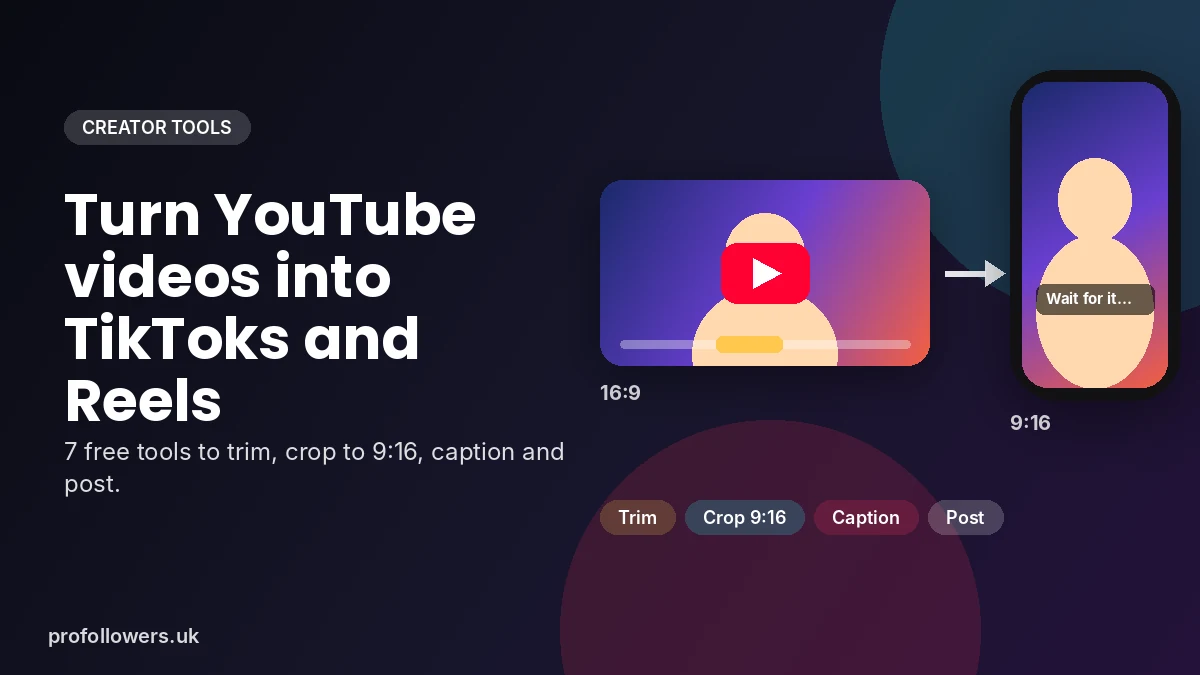
You spent hours filming, editing and uploading a YouTube video. It got a few hundred views, and now it's sitting in your channel doing nothing. Meanwhile, a 30-second clip from that same video could be pulling in thousands of views on TikTok and Instagram Reels.
Repurposing is one of the smartest growth habits a creator can build. One long video can become five, ten or even twenty short clips, each one a fresh chance to reach new people. The good news is you don't need expensive software to do it.
In this guide, we'll walk through the best free tools to turn YouTube videos into TikToks and Reels, plus a simple workflow you can follow every week.
Why Repurpose YouTube Videos for TikTok and Reels?
Short-form video is where discovery happens. TikTok and Instagram both push short vertical clips to people who don't follow you yet, which makes them ideal for growing a new audience.
Repurposing helps you:
- Save time: you've already done the hard part of filming and editing.
- Post more often: one long video can fill your short-form calendar for a week.
- Test ideas fast: see which moments people love, then make more of them.
- Send traffic back to YouTube: curious viewers will look for the full video.
- Reach new audiences: many TikTok and Instagram users never watch long YouTube videos.
An important note before you start: only repurpose videos you own or have permission to use. Reposting other people's content without permission can break copyright rules and platform guidelines, and it can get your account restricted.
The Right Format for TikTok and Instagram Reels
YouTube videos are usually landscape (16:9), while TikTok and Reels are vertical (9:16). Getting the format right is the difference between a clip that looks native and one that looks lazy.
| Setting | TikTok | Instagram Reels |
|---|---|---|
| Aspect ratio | 9:16 (vertical) | 9:16 (vertical) |
| Recommended resolution | 1080 x 1920 pixels | 1080 x 1920 pixels |
| File type | MP4 | MP4 |
| Sweet spot length | 15 to 60 seconds | 15 to 90 seconds |
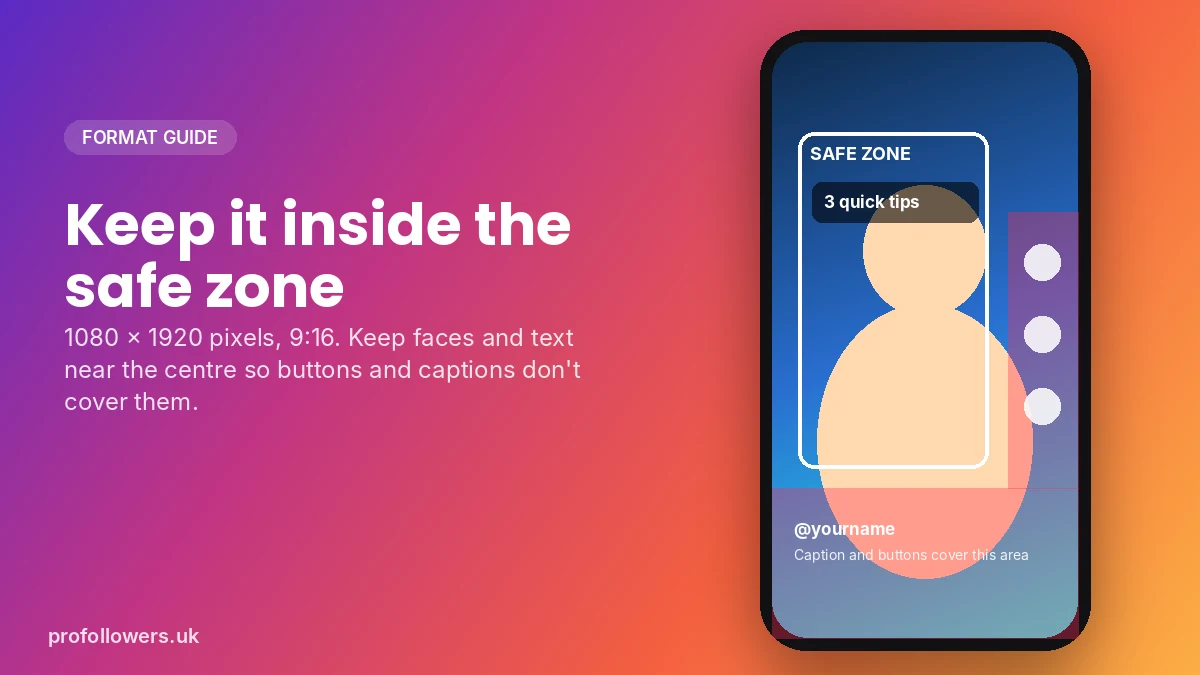
| Safe zone | Keep text away from the bottom and right edge | Keep text away from the bottom and right edge |
The "safe zone" matters because buttons, captions and your username cover parts of the screen. Keep faces and on-screen text near the centre.
7 Free Tools to Turn YouTube Videos into Short Clips
1. VidsTrim: Trim and Crop YouTube Clips in Your Browser
If you want the fastest route from a YouTube link to a vertical clip, VidsTrim is a handy free option. You paste a YouTube URL, pick your start and end points, and download just the part you need.
What makes it useful for TikTok and Reels creators:
- Crop to 9:16: switch the aspect ratio to portrait with a visual crop tool, so your clip is ready for vertical feeds.
- HD quality: export in 360p, 720p or 1080p.
- MP4 or MP3: grab the video clip, or just the audio for a voiceover or podcast snippet.
- No sign-up and no watermark: it runs in your browser, so there's nothing to install.
It's ideal for pulling highlight moments from your own long videos, podcasts or livestreams. As the tool itself reminds you, only trim videos you own or have permission to use.
2. YouTube Studio: Download Your Own Original Files
If the video is on your own channel, YouTube Studio lets you download a copy of your upload. This is useful if you no longer have the original file on your computer. Go to Content, hover over a video, open the options menu and choose Download.
3. CapCut: Edit, Caption and Polish
CapCut is a free video editor for phone and desktop that's popular with TikTok creators. Once you have your clip, use it to:
- Add auto-generated captions (most people watch with the sound off)
- Cut out pauses and filler words
- Add text hooks, zooms and transitions
- Export in 9:16 at 1080p
4. Canva: Create Eye-Catching Covers
Your Reel cover shows up on your Instagram grid, so it's worth making it look good. Canva's free plan has ready-made templates for Reels covers and TikTok thumbnails. Use bold text and a clear face to make people want to tap.
5. TikTok's Built-In Editor
TikTok's own editor is perfect for final touches. Add trending sounds, text-to-speech, stickers and effects right before you post. Using in-app features can also help your video feel native to the platform.
6. Instagram's Reels Editor
Like TikTok, Instagram lets you trim clips, add music, text and stickers inside the app. Choose a cover frame, add a keyword-rich caption, and share it to your feed for extra reach.
7. Pro Followers Free Tools: Save and Track Your Content
Once your clips are live, our free social media tools help you manage them. Use the TikTok video downloader to save a copy of your own posted TikToks so you can cross-post them as Reels, and check your growth with the free Instagram follower counter.
Tool Comparison at a Glance
| Tool | Best for | Price | Works on |
|---|---|---|---|
| VidsTrim | Trimming YouTube clips and cropping to 9:16 | Free | Web browser |
| YouTube Studio | Downloading your own uploads | Free | Web browser |
| CapCut | Captions and editing | Free (paid extras) | Phone and desktop |
| Canva | Reels covers and thumbnails | Free (paid extras) | Phone and desktop |
| TikTok editor | Sounds, effects and final touches | Free | Phone |
| Instagram editor | Music, text and covers | Free | Phone |
| Pro Followers free tools | Saving posts and tracking growth | Free | Web browser |
A Simple Weekly Repurposing Workflow
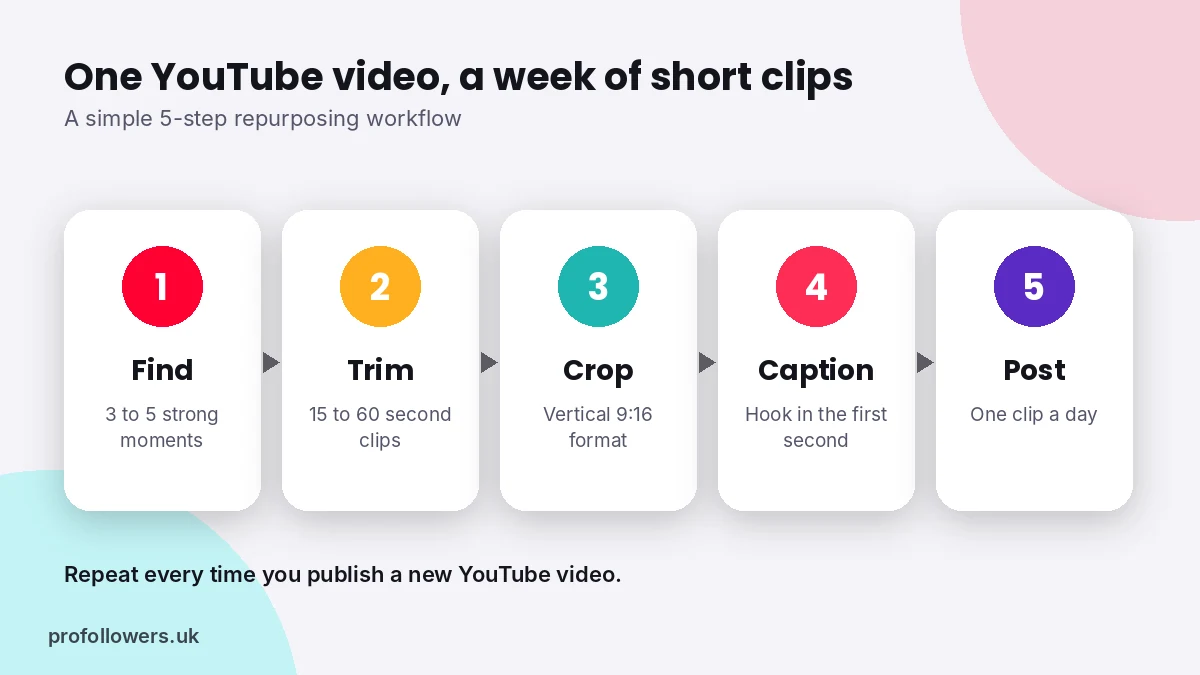
Here's a routine you can repeat every time you publish a new YouTube video:
- Find the best moments. Rewatch your video and note three to five moments with a strong hook, a surprising fact, a funny reaction or a quick tip.
- Trim each clip. Cut every moment into its own 15 to 60 second clip and crop it to 9:16.
- Add captions and a hook. Put a bold line of text in the first second, such as "Nobody tells you this about...".
- Post at a steady pace. Share one clip a day across TikTok and Reels rather than dumping them all at once.
- Point viewers to the full video. Mention it in your caption or bio so interested viewers can find it.
Tips to Make Your Repurposed Clips Perform
- Hook in the first two seconds. Start with the most interesting moment, not the intro.
- One idea per clip. Short videos work best when they focus on a single point.
- Use captions every time. Large, readable text keeps silent scrollers watching.
- Remove the YouTube feel. Cut out "hit subscribe" moments and long intros.
- Avoid watermarks from other apps. Clean files tend to look more native on each platform.
- Reply to comments with video. It turns one clip into a series.
Give Your New Clips a Head Start
Even great clips can struggle when they first go live. Early views and likes act as social proof, encouraging new viewers to stop and watch.
If you want your repurposed content to get off to a strong start, Pro Followers can help. Boost new videos with real TikTok views, or give your Reels a lift with Instagram views. Delivery starts fast, you never need to share your password, and checkout is secure.
Frequently Asked Questions
Can I post YouTube videos on TikTok and Instagram?
Yes, as long as you own the video or have permission to use it. Most creators trim their long videos into short vertical clips and post those on TikTok and Reels.
How do I convert a YouTube video to 9:16?
Use a tool that can crop to portrait format, such as VidsTrim or CapCut. Choose the 9:16 aspect ratio and position the crop so the main subject stays in the centre.
What's the best length for a repurposed clip?
Between 15 and 60 seconds works well on both platforms. Shorter clips are easier to watch to the end, which helps your video perform.
Will reposting the same clip on TikTok and Reels hurt my reach?
Posting your own content on both platforms is common. For the best results, export a clean file without another app's watermark and tailor the caption and sound to each platform.
Final Thoughts
Your YouTube library is full of short-form content waiting to be discovered. With free tools like VidsTrim for trimming and cropping, CapCut for captions and Canva for covers, you can turn one long video into a week of TikToks and Reels. Start with your best-performing YouTube video, pull out three strong moments, and see which one takes off.